
A production line stops because one bracket is missing. Purchase is blamed for late ordering, stores for stock records, production for a rushed release. Often, the cause sits earlier in the product and material data that drives the plan.
That single error travels into the requirement, the purchase order, the stock position and the cost sheet, leaving shortages on one item, excess on another, and planners who no longer trust the numbers. ERP Bill of Materials can help manufacturers establish accurate BOM structures and quantities that support material planning, procurement and production control.
The ERP Bill of Materials is the link between product definition and execution. It feeds planning, procurement, inventory and production from one controlled structure. This guide from IMARC Engineering explains how, where it fails, and what to check first.
What Is an ERP Bill of Materials?
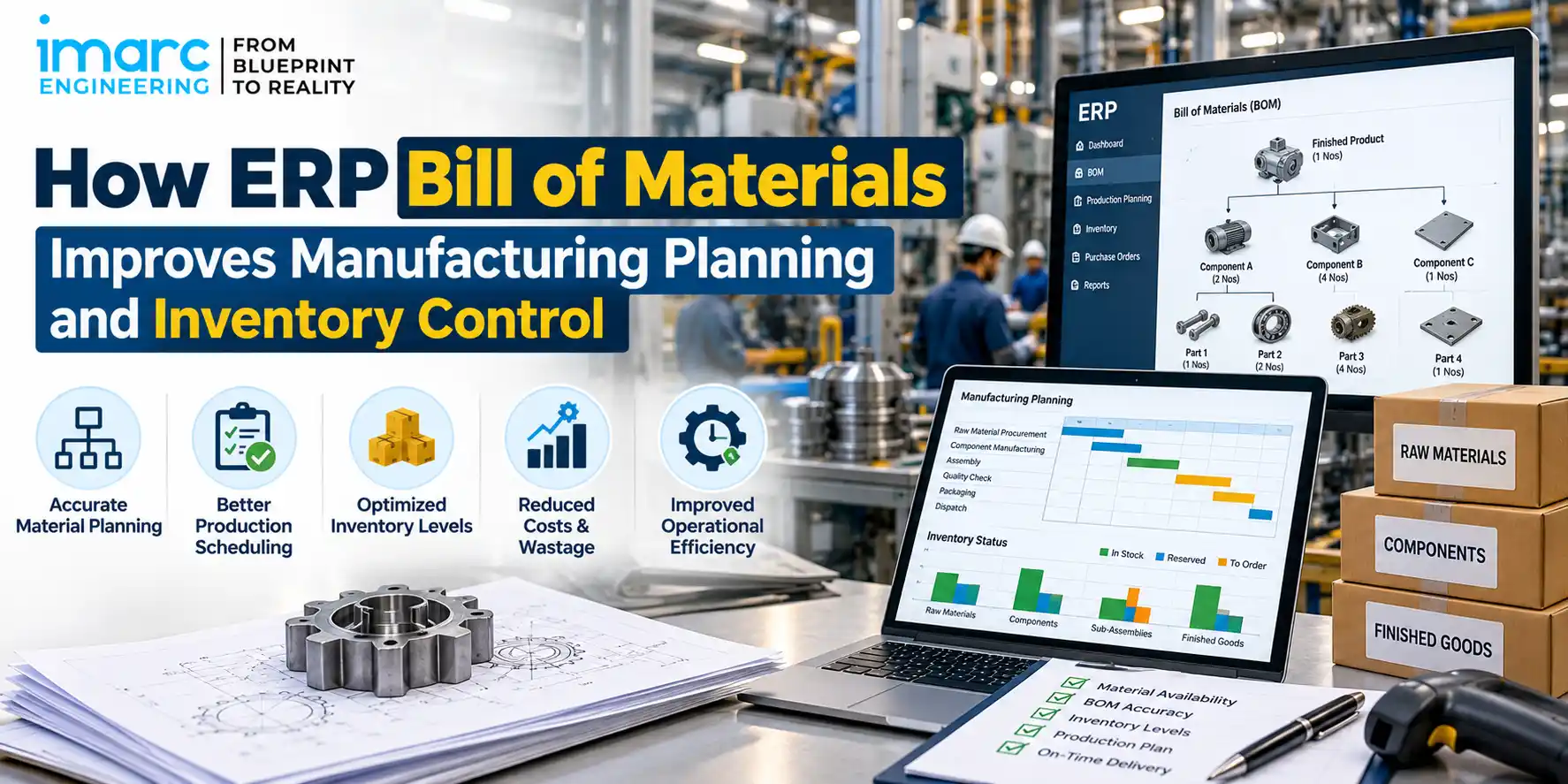
An ERP Bill of Materials is the system-controlled list of every item needed to make a product, with the quantity, unit of measure and revision of each, so that planning, purchasing, stores and production work from the same data.
It is built in parent-child levels. A finished product (parent) consumes subassemblies and raw materials (children), and each subassembly can carry its own components. A manufacturing BOM typically holds:
- Components and quantities per unit of the parent item
- Raw materials, purchased parts and in-house subassemblies
- Consumables and packaging material, where issued to the order
- Approved alternate components and substitution rules
- Scrap or yield factors that adjust the gross requirement
- Revision status and effective dates
A basic, static BOM is usually a spreadsheet or drawing table, not tied to stock, orders or change approval. An ERP-controlled BOM is a live master: MRP reads it, revisions are approved before use, and work orders and requisitions inherit its data.
Why BOM Accuracy Matters in Manufacturing Planning
BOM accuracy decides whether the plan is right before any material moves. The chain is direct: BOM accuracy, then material requirements, procurement, inventory availability and production readiness. An error at the first link repeats at every later one.
Consider an illustrative product with eight components. If the BOM lists 2 fasteners per unit where the design needs 4, an order for 1,000 units generates a requirement for 2,000 pieces instead of 4,000. The system shows no shortage, purchasing buys 2,000, and the line stops midway. Reverse the error and 2,000 pieces sit as surplus.
As production volumes increase, the cost of BOM errors increases with them. A small quantity or revision error can multiply across thousands of units, leaving planners to correct shortages or excess after the requirement has already entered the supply chain.
How ERP Bill of Materials Improves Material Planning
Material requirement planning (MRP) works by exploding the BOM. It converts demand for finished products into dependent demand for every subassembly and component, nets it against stock and open orders, and offsets it by lead time. The BOM supports:
- Dependent demand calculation from the product-level plan
- Purchase planning, with requisitions timed to supplier lead times
- Production scheduling for in-house subassemblies
- Shortage visibility and availability checks before orders are released
The benefit is timing. With correct BOM data and lead times, a shortage appears weeks ahead as a planned action, not an emergency purchase. With wrong data, MRP produces confident wrong answers faster.
How ERP BOM Improves Inventory Control
ERP inventory management ties stock to what production actually needs, but ERP does not reduce inventory on its own. Results depend on BOM accuracy, planning parameters, lead times, master data and process discipline. Where those are sound, the BOM helps in these ways:
- Less excess stock, because buying follows calculated requirement rather than habit
- Fewer duplicate purchases, because one item code carries one requirement
- Controlled component quantities, because issues are made against the BOM and variances show up
- Slow-moving material identified, because items with no BOM demand stand out
- Lower unnecessary safety stock, but only when lead-time and yield data are reliable
The reverse also holds: if quantities are inflated “to be safe”, the system will faithfully buy the extra.
ERP BOM and Production Delays
Most BOM-related delays come from a short list of failures:
- An outdated revision is released to the shop floor
- A component is missing from the BOM or its quantity is wrong
- Packaging or secondary material (labels, cartons, gaskets) is never planned
- An engineering change is not reflected in ERP
- An alternate material is listed but not approved or not available
A controlled BOM lets production run a material-readiness check before releasing a work order: confirm the approved revision, check availability of every component including packaging and alternates, and release only what can be completed.
BOM Revision and Engineering Change Control
Every engineering change should be treated as an ERP event, not only a drawing event. Revision control keeps one approved revision active for a given effective date, and an engineering change order or change notice records what changes and from when. Each change needs an impact check on:
- Open production orders: complete on the old revision, rework, or reissue
- Purchase orders: amend, cancel, or receive against the old part
- Old stock: consume, rework, return or scrap, with a defined cut-in point
- Obsolete components: superseded items left in stock that no BOM will ever call again
Suppose a drawing changes a bearing from Type A to Type B, but the ERP BOM still lists A. MRP keeps buying A while the floor needs B: a shortage of B and a surplus of A that turns obsolete, from one missed update.
How ERP BOM, Procurement and Inventory Connect
The planning flow runs in this order:
- Engineering releases an approved BOM.
- ERP/MRP calculates requirements from demand.
- Inventory availability is checked against stock, reservations and open orders.
- Net purchase and production requirements are generated.
- Procurement places orders against those requirements.
- Stores receive, inspect and issue material.
- Production consumes material against the work order.
- The finished product is completed and stocked.
Disconnected spreadsheets break this chain. When purchasing, stores and engineering each use a different BOM file, every function is right by its own data and wrong together. One approved BOM in ERP keeps the chain consistent.
Common BOM Problems, Causes and Controls
| Manufacturing Problem | BOM/ERP Cause | Operational Impact | Control |
|---|---|---|---|
| Material shortage | Missing component or understated quantity in the BOM | Line stoppage, expedited buying | Validate quantities against drawing and actual shop-floor issue |
| Excess inventory | Overstated quantities, padded buffers, superseded parts still on order | Blocked cash, storage load, obsolescence | Review BOM-linked demand; set a plan for surplus stock |
| Wrong component revision | Outdated BOM released to production | Rework or scrap | Approval status and effective dates checked at order release |
| Duplicate item codes | Same part created under two codes | Split stock, duplicate orders | Item master rules and periodic duplicate check |
| Engineering change not updated | Drawing revised, ERP BOM unchanged | Shortage of new part, surplus of old part | Change notice with mandatory ERP impact check |
| Incorrect quantity | Entry error or ignored scrap/yield | Wrong requirement and product cost | Sample-validate against actual consumption |
| Missing packaging or secondary material | Non-drawing items left off the BOM | Finished goods held at dispatch | Include packaging and consumables in BOM review |
Common ERP BOM Management Mistakes
- Treating BOM creation as a one-time activity, with no revision control or effective dates
- Allowing duplicate item codes and uncorrected quantities
- Ignoring scrap and yield
- Keeping engineering and ERP data disconnected
- Assigning no owner for BOM accuracy, or not updating the BOM after design changes
- Running spreadsheets beside ERP without control
- Never validating BOMs against actual shop-floor consumption
Practical Checklist for Manufacturers
- Every active product has an approved BOM.
- BOM revisions and effective dates are controlled.
- Quantities are validated against drawings and consumption.
- Item codes are unique across the item master.
- Engineering changes carry an ERP impact check.
- Critical and long-lead components are identified.
- Inventory records and BOM data are aligned.
- Scrap and yield assumptions are reviewed periodically.
- Production and procurement use the same approved BOM.
- BOM accuracy has a named owner and a fixed audit schedule.
When Manufacturers Should Review Their ERP BOM
Warning signs: recurring material shortages, shortages and excess inventory appearing together (a classic sign of BOM or planning-data errors), frequent emergency procurement, poor inventory accuracy, and production schedules regularly disrupted by material availability.
Trigger events: frequent engineering changes, new product introduction, multiple product variants, multi-site manufacturing, and ERP implementation or migration.
How IMARC Engineering Can Help
IMARC Engineering is an engineering consulting firm, not an ERP software provider. Its support is advisory and centred on the gap between engineering intent and shop-floor execution:
- Manufacturing process assessment and BOM/process alignment
- Material planning, production and inventory planning, and operational readiness
- Gap identification between engineering requirements and execution
- Advisory for manufacturing projects
Manufacturers facing recurring shortages, excess stock or inconsistent BOMs can discuss their situation with the team through the Bill of Materials Preparation service.
Need help improving BOM accuracy and material planning?: https://www.imarcengineering.com/contact?service=bill-of-materials-preparation
Conclusion
An ERP Bill of Materials is not merely a product parts list. It is a controlled manufacturing master that shapes material planning, procurement, inventory and production readiness.
A practical first step: take your five highest-volume products and compare the ERP BOM with the current drawing, the approved revision and actual shop-floor issue. Correct the differences and assign an owner. That one exercise shows quickly whether planning problems begin in the BOM.
Explore Our Related Insight: How to Digitize Manufacturing Documentation in India
Contact Us:
IMARC Engineering
Phone: +91-120-433-0800
Email: sales@imarcengineering.com
India: C-130, Sector 2, Noida, Uttar Pradesh 201301
LinkedIn: https://www.linkedin.com/showcase/imarc-engineering/
About the Author